How to Download BOMBANANA: Your Guide to the Ultimate Co-op Fun
Looking for the official BOMBANANA download? Discover how to safely get this chaotic 3-player co-op game and start defusing bombs with your friends today.
Published:
Table of Contents
Ready to put your friendships to the ultimate test? Finding a reliable bombanana download is the first step toward experiencing one of the most chaotic and hilarious cooperative games of the year. Whether you are ready to laugh, scream, or argue with your friends, getting the game installed correctly is essential for a smooth gaming session.
In this guide, we will walk you through the safest and most official way to secure your bombanana download. We will also break down the gameplay mechanics, system requirements, and pro-tips to ensure you and your squad are ready to defuse bombs like pros.
Getting Started: The Official BOMBANANA Download
When you search for a game online, security and authenticity should always be your top priority. Many sites claim to offer direct downloads, but these can often lead to malware or broken files. To ensure you have the genuine, developer-supported version of the game, you must stick to official storefronts.
For PC players, the definitive way to get the game is through its official Steam store page. This ensures you receive all updates, patches, and access to the Steam community features that keep the game alive.
Why Steam is the Best Choice
Feature
Steam Version
Third-Party Sites
Security
Verified & Safe
High Risk
Updates
Automatic
Manual/None
Achievements
Supported
Not Supported
Community
Full Access
Limited
By choosing the official Steam platform, you are directly supporting the developers at TARK Games and ensuring that your bombanana download is compatible with your hardware and the latest anti-cheat protocols.
Understanding the Gameplay: What to Expect
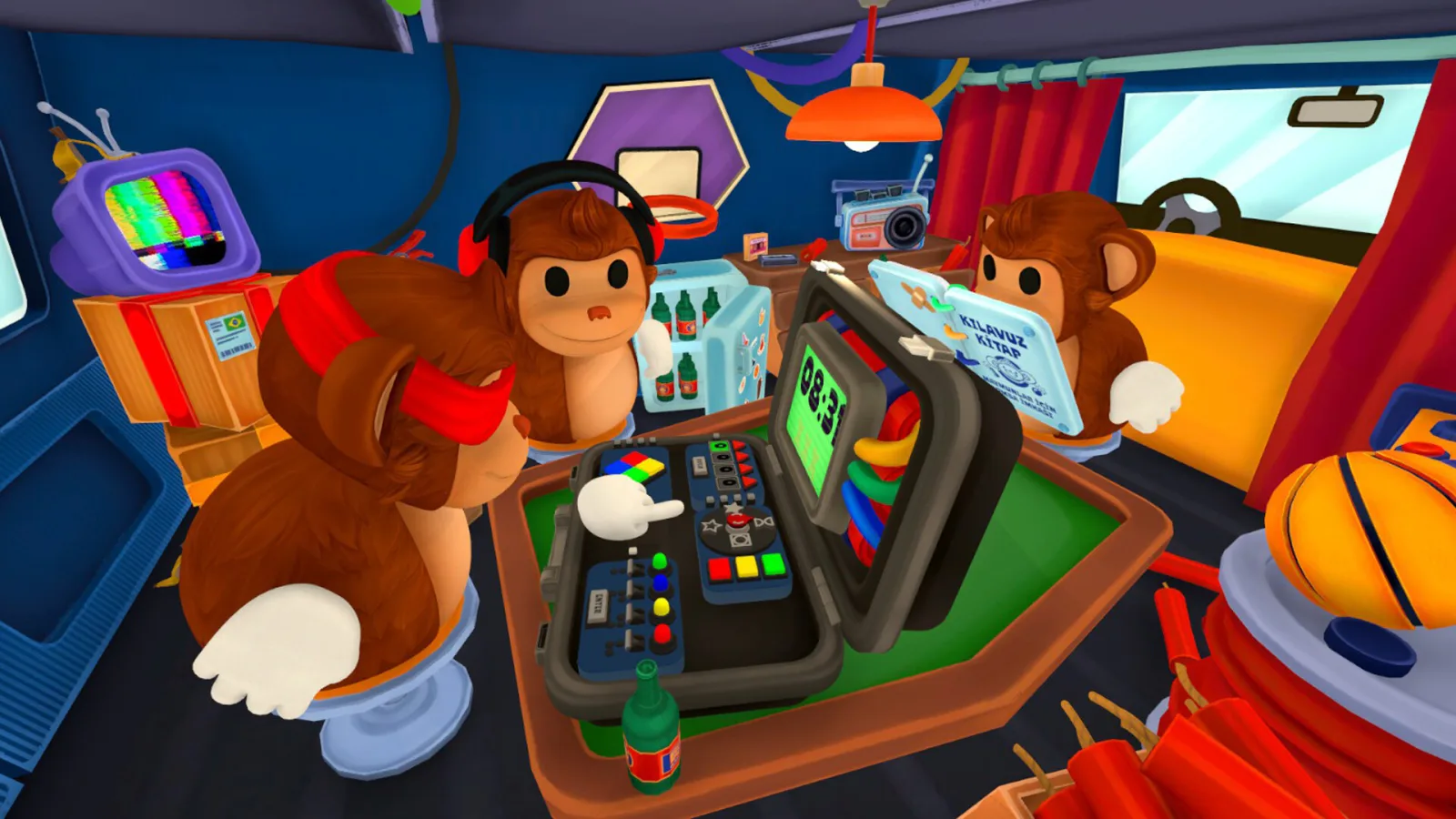
BOMBANANA is not your typical puzzle game. It is a strictly 3-player co-op experience where asymmetric information is the core mechanic. Each player controls one of three iconic monkeys: the Blind Monkey, the Mute Monkey, or the Deaf Monkey.
Meet the Roles
Blind Monkey: Can touch the bomb but cannot see the screen or colors.
Mute Monkey: The only one who can read the bomb disposal manual but cannot speak.
Deaf Monkey: Can see the bomb and the others' gestures but cannot hear a thing.
According to community reports, the true challenge isn't just the ticking clock; it is the frantic communication—or lack thereof. Players often find that their biggest hurdle is simply trying to convey information through emojis or physical gestures while the timer counts down to zero.
Mastering Communication
Don't rely solely on one method. Use the emote wheel, custom hand signals, or even frantic character movements to establish a "language" with your team before the bomb starts.
System Requirements for BOMBANANA
Before finalizing your bombanana download, check if your PC meets the minimum specifications. While the game is stylized, it still requires modern hardware to handle the chaotic 3D physics and simultaneous online co-op connections.
Requirement
Minimum
Recommended
OS
Windows 10/11 64-bit
Windows 10/11 64-bit
Processor
Core i3-6100 / Ryzen 3 1200
Core i5-8400 / Ryzen 5 2600
Memory
8 GB RAM
16 GB RAM
Graphics
Intel HD 520 / Vega 3
GTX 1050 / RX 560
Storage
300 MB available
300 MB available
If you are using a macOS device, ensure you have at least macOS 11.0 (Big Sur) for the minimum experience, though macOS 12.0 (Monterey) or later is recommended for smooth performance.
Essential Tips for New Bomb Defusers
Many players fail their first mission because they panic. Remember, the game is designed to be an "argument simulator." When you complete your bombanana download and jump into your first lobby, keep these strategies in mind:
1. Assign Roles Early
Talk to your teammates before the level starts. If you are the Blind Monkey, stay close to the bomb and listen carefully. If you are the Mute Monkey, focus entirely on the manual and use pointing gestures to indicate specific modules.
2. Practice in Custom Mode
Don't jump straight into the hardest campaign levels. Use the Custom game mode to adjust the difficulty and timer. This allows your team to get comfortable with the controls without the pressure of a game-over screen.
3. Emote Management
The game includes a robust emote wheel. Spend time in the settings menu to map your most used emotes to easy-to-reach keys. In the heat of a "bomb-defusal" moment, you don't want to be fumbling for the right gesture.
Friendship Alert
Be prepared for "unjust accusations." The developers explicitly state that the game is designed to test friendships. Don't take it personally if your teammates yell at you for a wrong move—that is all part of the fun!
Troubleshooting Common Download Issues
Even when using official platforms, you might occasionally run into issues with your bombanana download. If your installation seems stuck or fails to launch, follow these steps:
Verify Integrity of Game Files: Open Steam, right-click the game in your Library, select Properties > Installed Files > "Verify integrity of game files."
Check Network Stability: As an online co-op game, a stable broadband connection is required. Avoid using mobile hotspots if possible.
Update Drivers: Ensure your GPU drivers are up to date, especially if you are using an integrated graphics solution like Intel HD Graphics.
If you continue to experience crashes, consult the official Steam discussions or the developer's Discord channel for community-tested fixes.
FAQ: Frequently Asked Questions
Is there an official BOMBANANA download for mobile devices?
Currently, the primary and intended way to play is on PC via Steam. Beware of third-party mobile apps with similar names, as they may not be the same game developed by TARK Games.
Do I need three people to play?
Yes, the game is designed specifically for 3-player co-op. Each role is crucial, and the game mechanics are built around the unique interaction of those three specific monkeys.
Is the game free to play?
BOMBANANA is a premium game available for purchase on Steam. Check the store page for any ongoing bundles or seasonal discounts.
How can I ensure my game is safe?
Always use the official Steam store link to perform your bombanana download. This guarantees you are receiving the secure, official, and developer-verified software.
By following this guide, you should be well on your way to becoming a bomb-defusal expert. Gather your two best friends, get organized, and start playing today!