Bombanana Cant Hear People: How to Fix Voice and Audio Issues
Struggling with Bombanana cant hear people issues? Discover how to troubleshoot game audio, understand roles, and fix communication bugs in this guide.
Published:
Table of Contents
The chaotic world of BOMBANANA! is designed to test the limits of your friendships, but nothing kills the momentum faster than technical malfunctions. If you have been searching for solutions to "Bombanana cant hear people," you are likely dealing with the unique communication constraints of this cooperative bomb-defusal game.
Understanding why you might be experiencing communication gaps is critical. This game is intentionally designed to force asymmetric information sharing between players, meaning that silence isn't always a bug—sometimes, it is a core gameplay mechanic. Whether you are facing a legitimate audio glitch or simply misunderstanding your role, this guide will help you get back to the high-stakes action.
Understanding the Communication Dynamics in BOMBANANA!
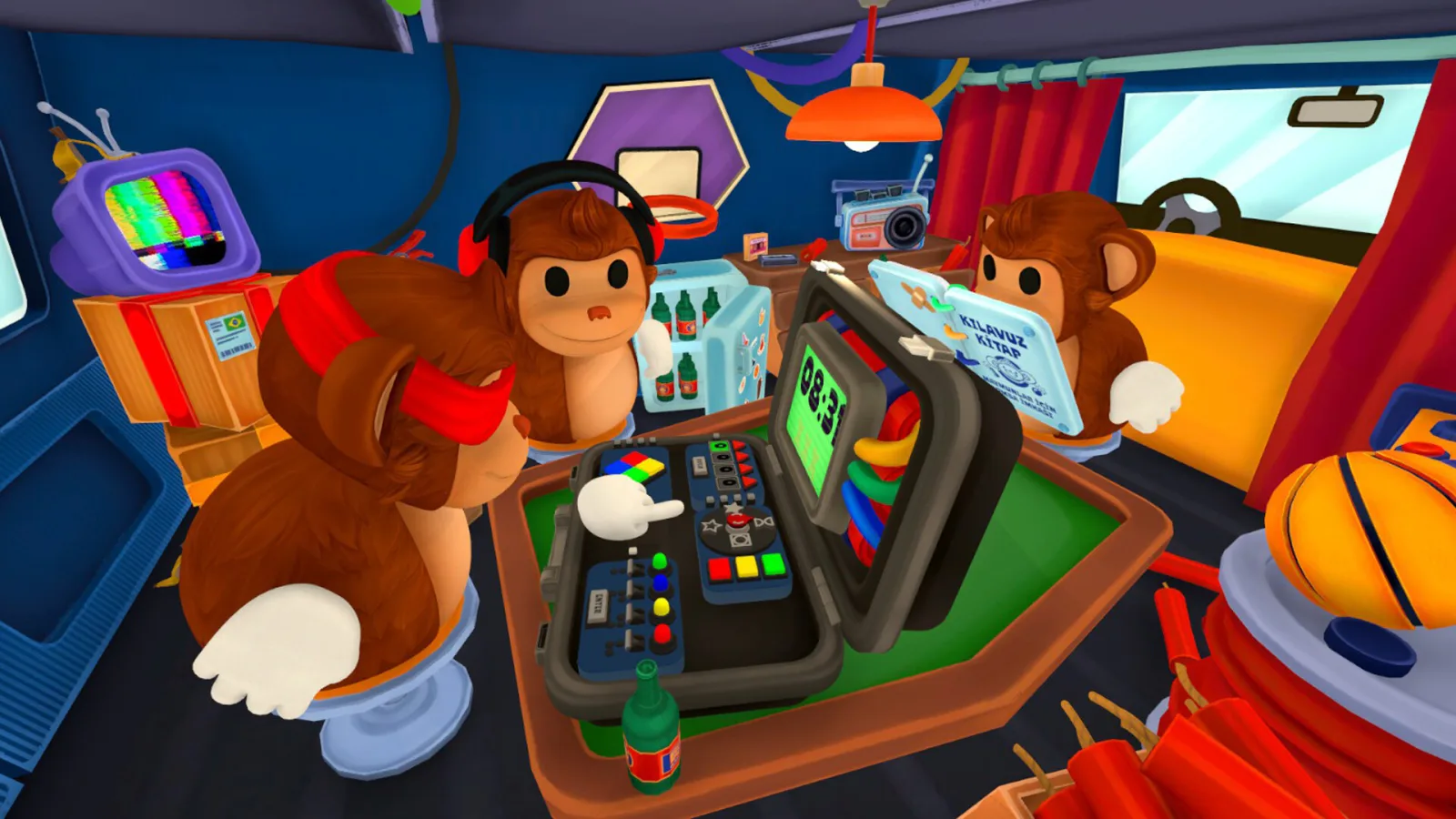
In BOMBANANA!, developed by TARK Games, the game is built upon a foundation of forced limitations. Unlike traditional co-op games where every player has access to the same information, this experience isolates players by stripping away key senses: sight, hearing, or speech.
If you find that a member of your squad cannot hear, it is important to first verify if it is an intended design element. The game is fundamentally a "social stress test," where one person is restricted from hearing, one from speaking, and one from seeing.
The Three Roles and Their Limitations
Role
Primary Limitation
Ability/Interaction
Mute Monkey
Cannot speak
Holds the manual; must point and mime to convey instructions.
Deaf Monkey
Cannot hear
Sees the bomb layout; relies on others to translate mimes into shouts.
Blind Monkey
Cannot see
Handles the wires/buttons; must rely entirely on verbal/auditory cues.
Community reports frequently highlight confusion regarding these roles. Players often assume they are experiencing an audio bug when they are simply playing a role that is intended to be silent or isolated.
Troubleshooting: Is It a Bug or a Feature?
If you are certain that the "Bombanana cant hear people" issue is not related to the role limitations, you should look into standard technical troubleshooting. According to community discussions on platforms like Steam, some players have encountered genuine audio synchronization bugs during intense sessions.
Steps to Resolve Audio Issues
[!TIP]
Basic Audio Checklist
Check In-Game Settings: Ensure that voice chat volume is turned up and the correct output device is selected.
Verify System Permissions: Check if your operating system or browser (since this is a Roblox-based experience) has permission to access your microphone.
Rejoin the Session: Sometimes the game instance fails to initialize audio correctly for specific players; a quick refresh often resolves this.
Confirm Role Dynamics: Ensure your partner is not the designated "Mute" character, as their inability to speak or respond is a programmed limitation.
Advanced Communication Tactics
Once your audio is working, the challenge shifts from technical to social. Since the game requires constant, fast-paced communication, you need a strategy to overcome the "translation" lag between the three roles.
How to Communicate Effectively Under Pressure
Establish a Coding System: Use simple, pre-agreed gestures or call-outs for numbers and colors.
Handle Braille Information: The blind monkey often needs to communicate braille numbers to the others. Do not wait for the timer to run out before confirming these numbers.
Use the "Hand Signal" Mechanic: If you are playing a character that can express numbers using hand gestures (holding the R key), use this as a backup if voice communication is failing or laggy.
Communication Flow Comparison
Communication Type
Reliability
Best Used For
Voice Chat
High
Quick updates, panic-defusing, and math problems.
Mime/Gestures
Medium
Indicating wire colors or pointing to objects.
Hand Signals (R Key)
High
Conveying precise numbers (0-9) when voice is unclear.
Why Your Friendships Will Be Tested
The reason you are likely playing BOMBANANA! is not because it is a perfect puzzle, but because it is intentionally unfair. As noted by various gaming content creators, the studio behind this title (Lefto) has a track record of engineering games that raise blood pressure, such as Liar's Bar. They have deliberately added features like the "slap" mechanic to encourage players to interact physically when instructions go wrong.
If you are dealing with "Bombanana cant hear people" issues, take heart: the frustration you feel is part of the experience. The game is designed to see who folds under pressure. When the bomb is ticking, the mute monkey is signing frantically, and the deaf monkey is shouting, you are hitting the "stress test" threshold the developers intended.
Common Errors to Avoid
Players often get stuck at level 7 or higher because they misunderstand the logic of switches or math problems. Here are some pitfalls reported by experienced players:
Panic Typing: Typing a math answer into the keypad before the color/light conditions are met. Always ensure the light color matches the required logic.
Ignoring the "Greater Than/Less Than" Logic: Many levels require you to compare numbers. If you don't know which number is higher, the "nipple" direction of the symbol usually indicates the value.
Role Confusion: If you forget who is the "blind" monkey, you will end up guessing wire colors randomly, leading to an inevitable explosion.
[!WARNING]
Avoid Guilt-Tripping
Don't blame your teammates for communication breakdowns. The game is intentionally designed to create miscommunication. The fun is in the argument that follows the failure, not the win itself!
Frequently Asked Questions (FAQ)
Q: Why does it feel like my friend is ignoring me?
A: In BOMBANANA!, one player is literally unable to hear. Check if your friend is assigned the "Deaf Monkey" role. If they aren't, verify your microphone settings in your Roblox or system audio menu.
Q: Can the blind monkey talk?
A: Yes. The blind monkey's limitation is visual, not auditory or verbal. They are often the most crucial role for reading off numbers in braille, so clear voice communication from them is essential for success.
Q: Is there a fix for the "Bombanana cant hear people" bug?
A: If it is not a role-based limitation, try re-entering the game session. As this is a Roblox game, ensure your browser or app is updated. If the issue persists, the problem might be your network latency affecting the real-time voice synchronization.
Q: What is the best way to solve the math puzzles?
A: Always have one person handle the calculator while the others focus on the lights and colors. Don't shout all your answers at once; designate one "lead" to finalize the input to avoid multiple players typing different numbers simultaneously.